Skip to content
AVITA OC / CALIFORNIA Get in Touch
Avita OC / Software Studio / AVITAPDF
Mac · iPad · iPhone · Shipped

AVITAPDF

A real native app for PDFs. Not a web view in a window.

Built with Swift, SwiftUI/AppKit and Apple's PDFKit — the sanctioned, purpose-built framework for rendering, annotations, page manipulation, search and forms. Native performance, a small footprint, and a double-clickable .app that builds without full Xcode.

0Electron · web views
3Apple platforms, one core
OCRApple Vision, on-device
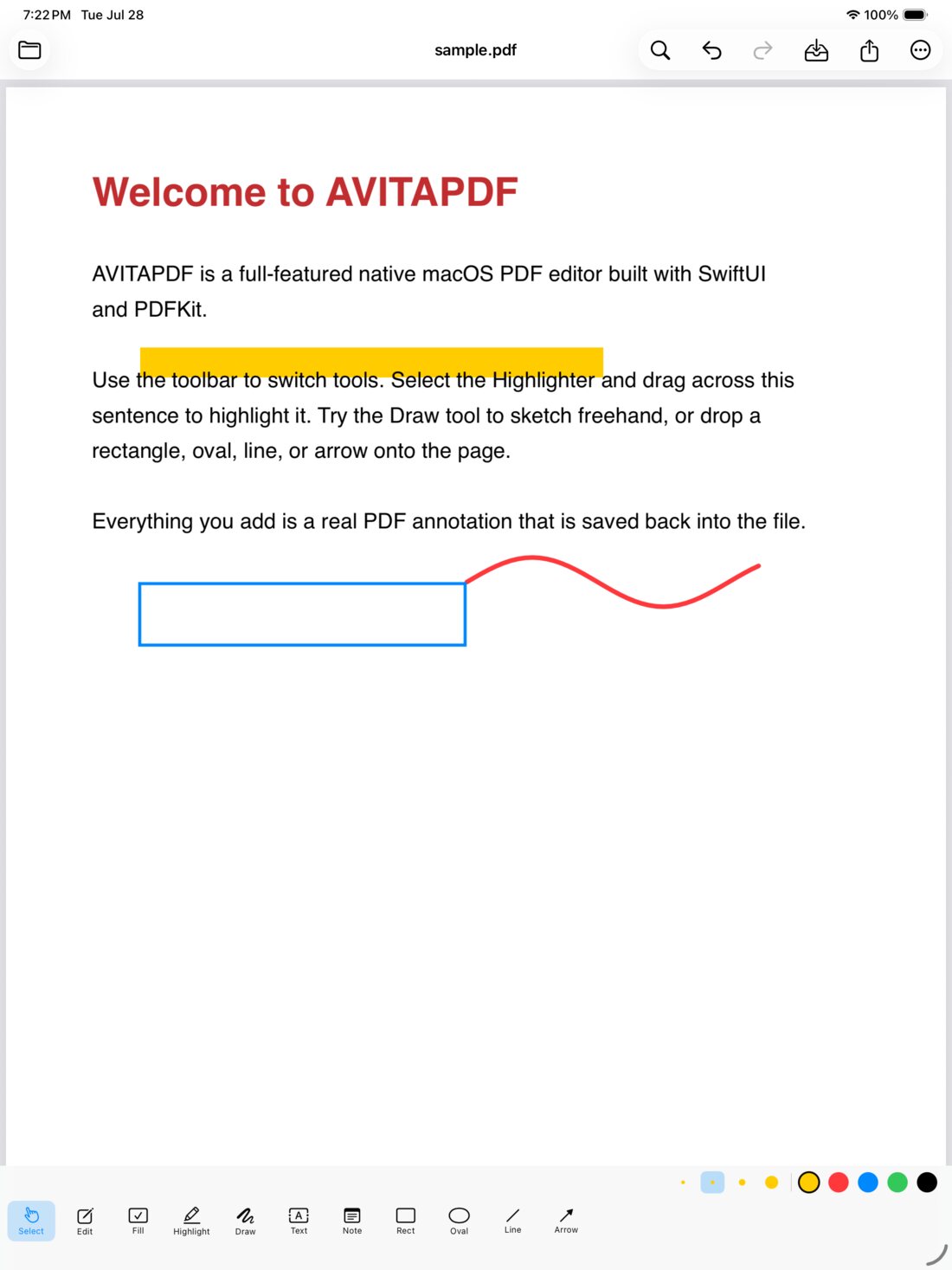
AVITAPDF open on iPad with highlight, freehand ink and a rectangle annotation over a sample document
01 — Capabilities Everything edits in place, on the page

A full editor,
not a viewer.

View & navigate

Tabbed multi-document editing with per-tab state — open many PDFs, switch and close freely.

  • Single, continuous and two-up page layouts
  • Thumbnail rail, document outline, full-text search with a match list
  • Zoom in / out / fit, live page & zoom readout in the status bar

Select, type, fill & edit

A focused editor opens right over the text. Return commits, Shift+Return adds a line, Esc cancels.

  • Select & Fill — copy text, type into form fields, move annotations
  • Edit Text — click a line; font, size and colour are detected and pre-filled
  • Add Text — click anywhere, including flat scanned forms with no fields

Annotate & mark up

Saved as real PDF annotations, so they survive the trip to any other reader.

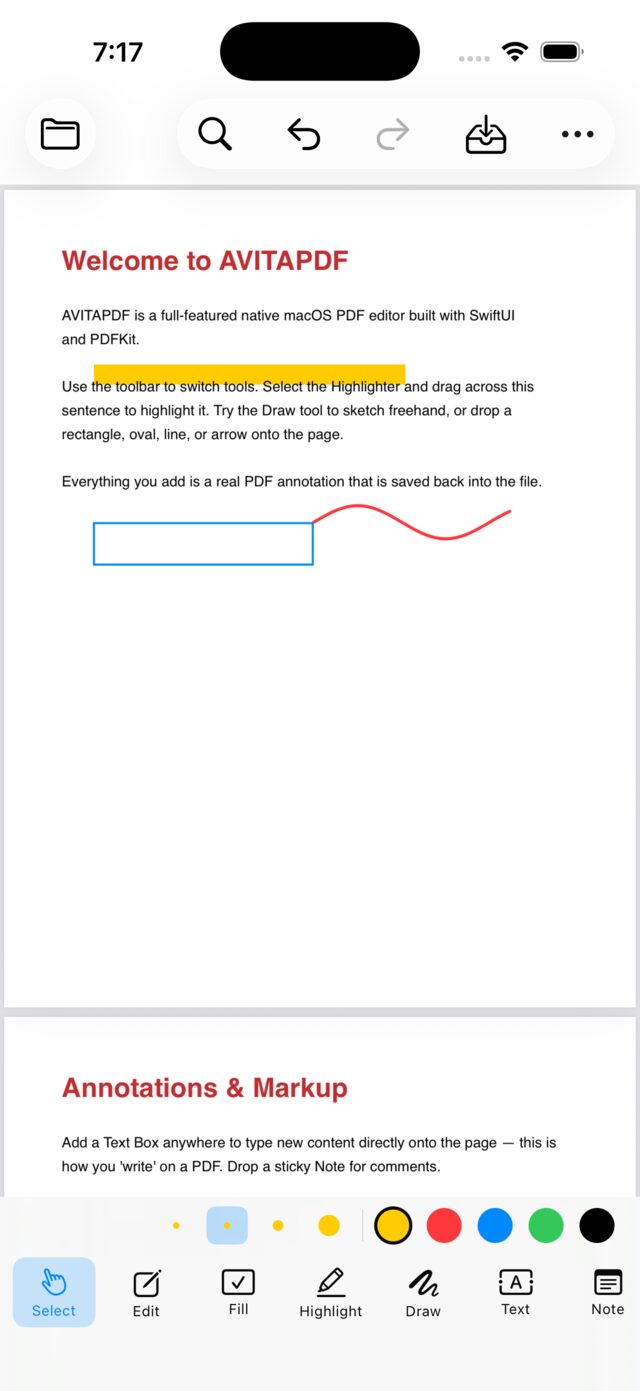
  • Highlight, underline, strikethrough — drag over text
  • Freehand ink, rectangle, oval, line, arrow with arrowhead, sticky notes
  • Select to move, resize, recolour or delete; live Inspector for colour, width, opacity and exact W/H

Photos & stamps

Drop an image, move and resize it, then click away to set it into the page. Baked in on commit so it persists — and still undo-safe.

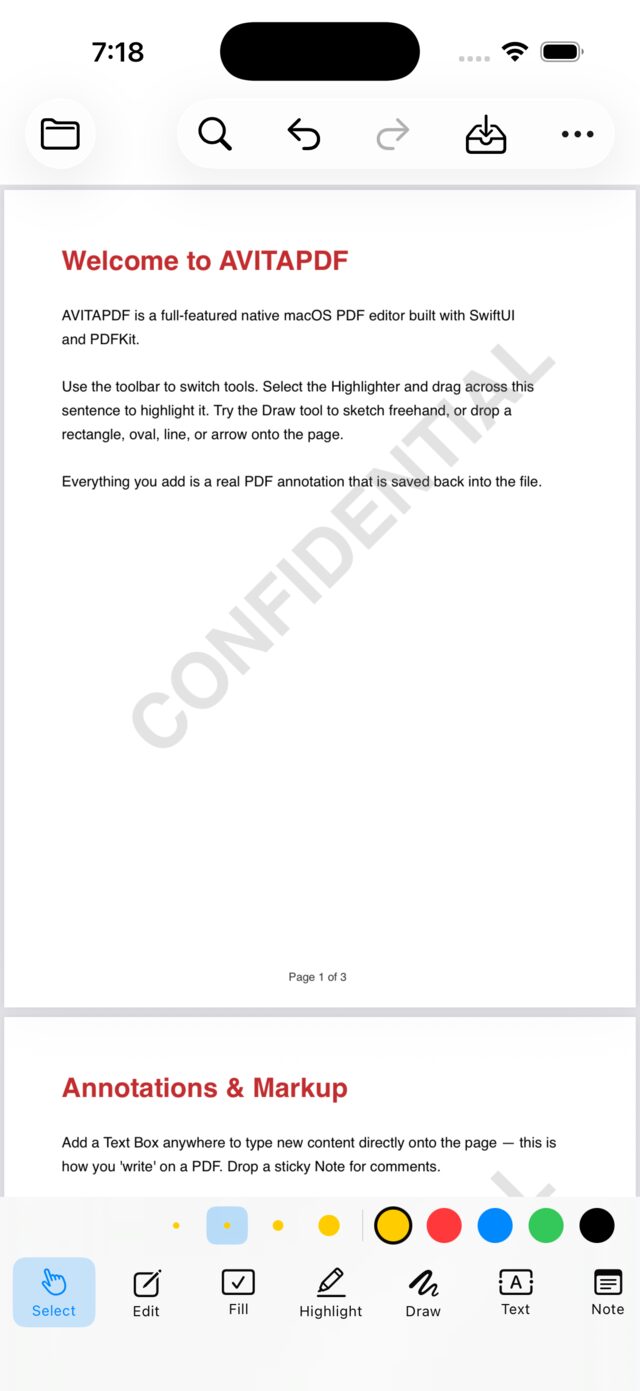
  • Presets: APPROVED · DRAFT · CONFIDENTIAL · REVIEWED · FINAL · VOID
  • Custom stamps, placed and dragged into position

Page management

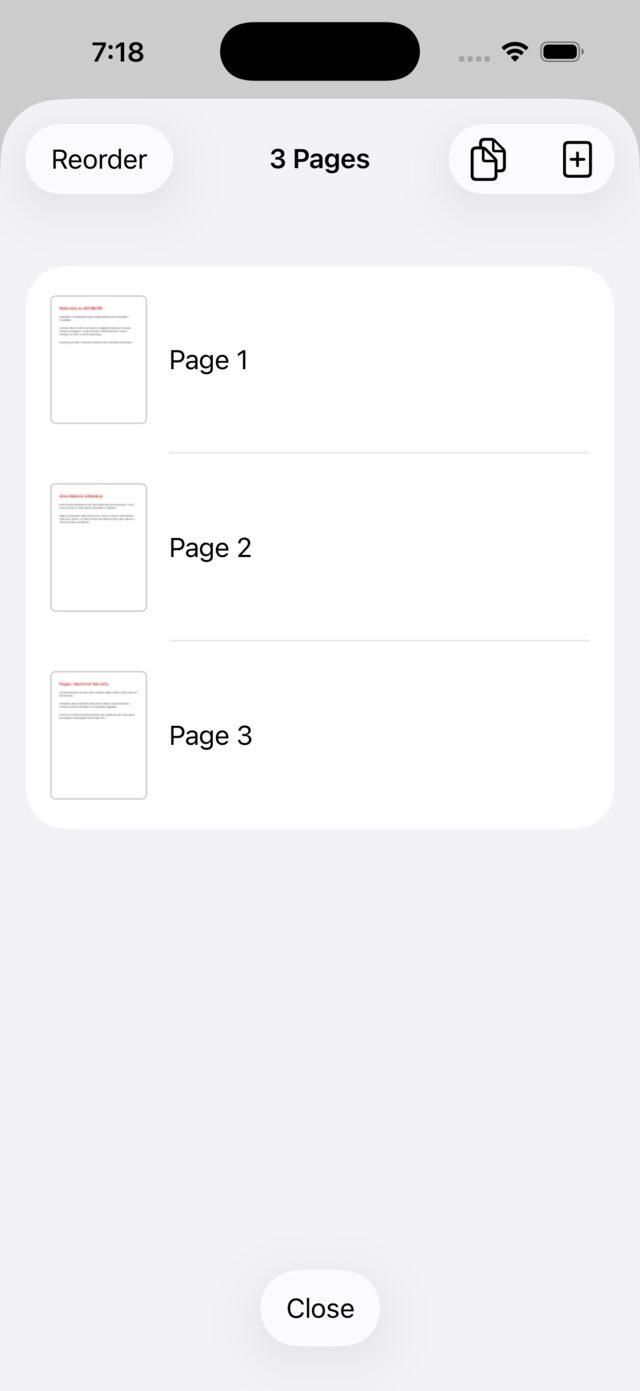
Rotate ±90°, insert blank, duplicate, delete and reorder — with drag-to-reorder in the thumbnail rail and a right-click menu on every thumbnail.

  • Merge multiple PDFs, split into one file per page, extract the current page
  • Export every page as PNG images

OCR via Apple Vision

Recognize text across the whole document or the current page. Pages look unchanged, with an invisible selectable and searchable layer laid over the image — ideal for scans.

  • Live progress overlay; the whole result is undoable
  • On-device — nothing is uploaded to recognize your documents

Forms, signatures & security

Fill interactive AcroForm text fields and checkboxes natively. For flat scanned forms, Add Text types straight onto the page.

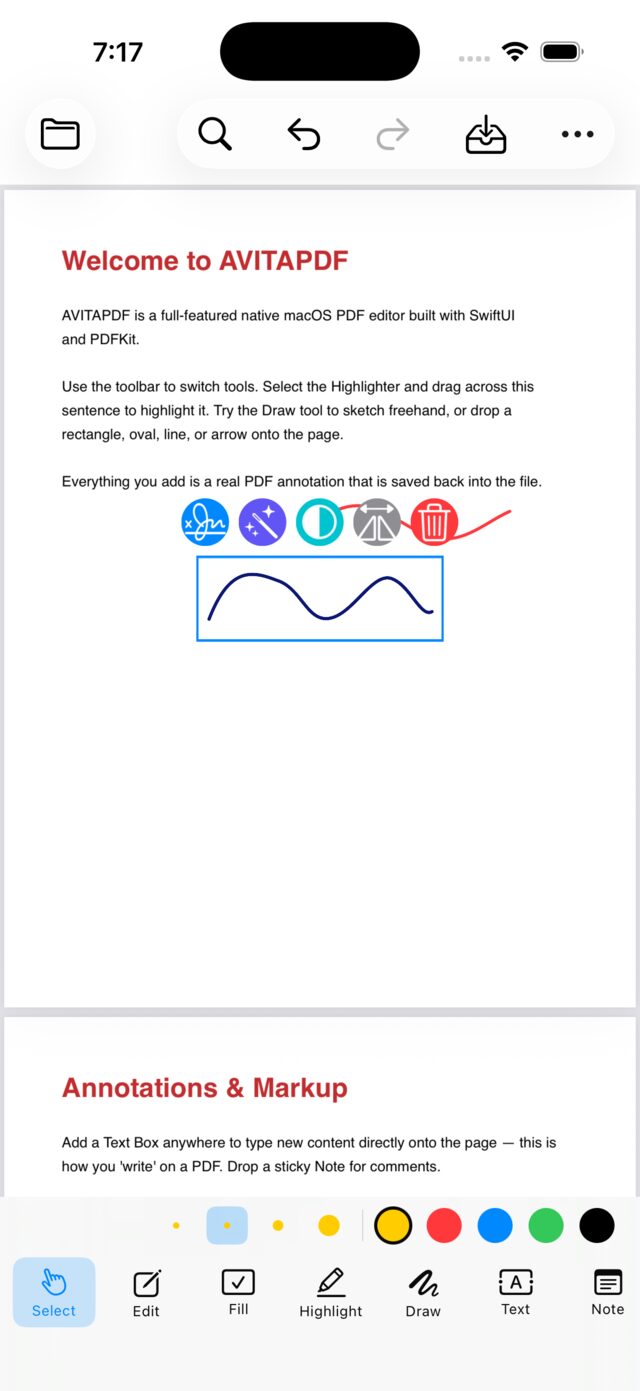
  • Draw a signature on a canvas → inserted as movable vector ink
  • Place an image signature or logo, flattened permanently into the page
  • Password-protect and encrypt on save; locked PDFs prompt on open

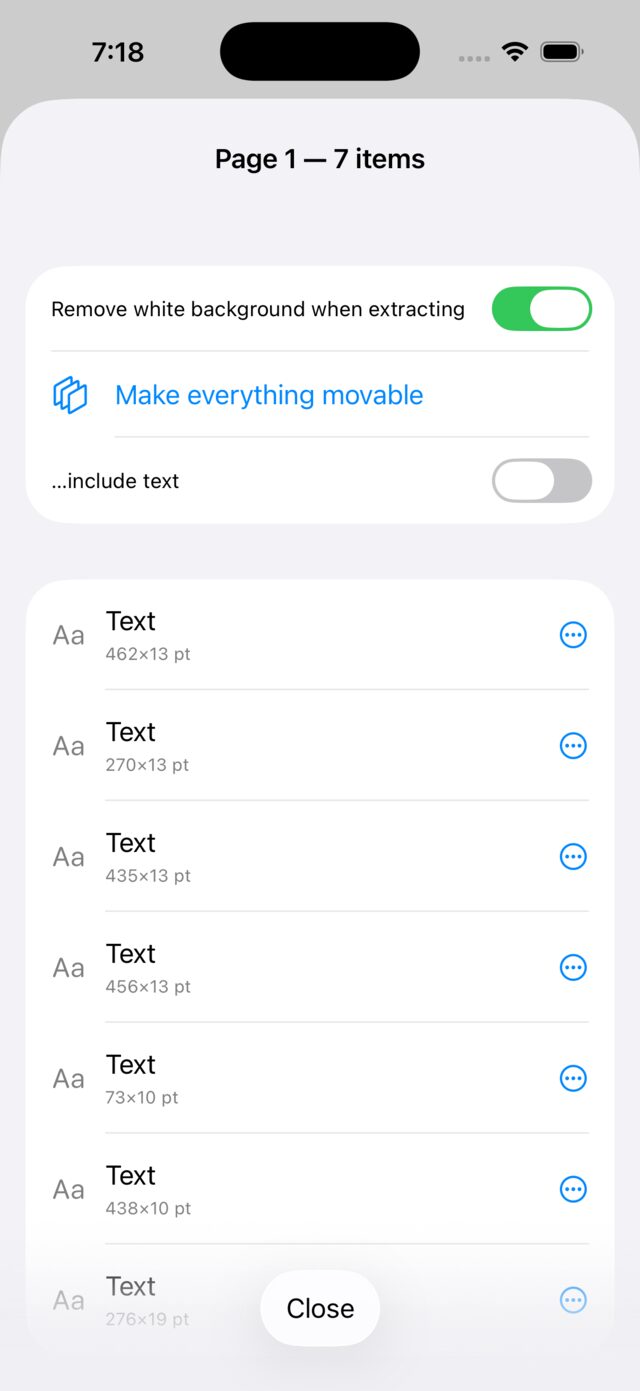
Objects panel

Every object in the document in one sidebar — text, highlights, shapes, notes, form fields, stamps and links. Click to jump to it and select it, then edit in the Inspector, or delete it outright.

Undo that covers everything

Snapshot-based undo and redo across every edit — annotations and page operations. Plus a full menu bar with keyboard shortcuts, drag-and-drop, Finder "Open With", and an unsaved-changes guard on quit.

02 — The App Captured on device, not mocked up

Every tool,
as it ships.

Objects panel listing every annotation, form field and link in the document
Objects panelEvery annotation, field and link in one list — jump to it or delete it.
AVITAPDF on iPhone showing a CONFIDENTIAL stamp over a document page
StampsAPPROVED, DRAFT, CONFIDENTIAL and custom — placed, dragged, then set.
Page reorder view listing three pages with drag handles
PagesReorder by drag, rotate, duplicate, insert, extract or split.
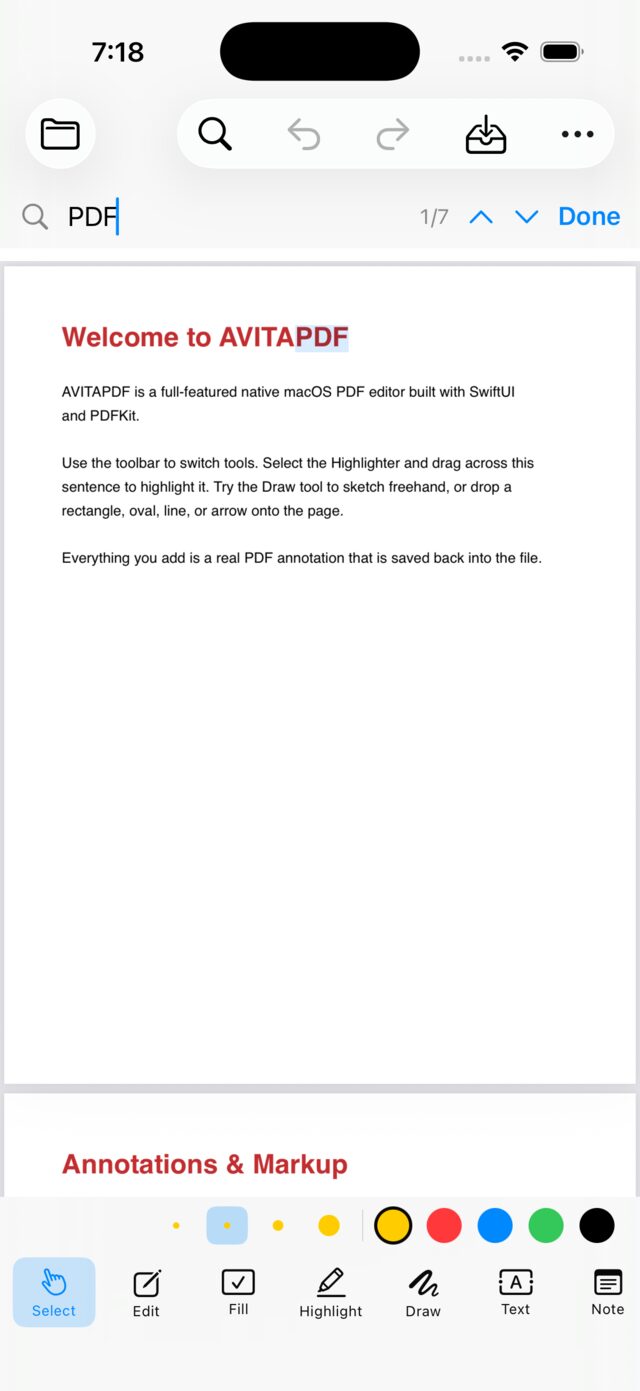
Full-text search for the term PDF showing match one of seven
SearchFull-text with a match list and next/previous stepping.
Signature placed on a document as movable vector ink
SignaturesDrawn on a canvas, inserted as movable vector ink.
Document tools panel in AVITAPDF
Document toolsMerge, split, export, OCR and encryption in one panel.
03 — Honest scoping Where the format itself stops

What it doesn't
pretend to do.

No reflow of existing body text

PDFKit — like the PDF format — doesn't support re-flowing original text. Edit Text is a pragmatic overlay: the original glyphs stay underneath a cover, so it works best on light backgrounds. True Acrobat-style editing needs PDFium or a commercial SDK.

Placed images are flattened

An image is baked into the page content on placement so it persists on save — which means it can't be moved afterwards. Drawn signatures can be, because they're vector ink.

Advanced form scripting

Fields are filled through native interaction. JavaScript form scripting and certificate-based digital signatures are out of scope for v1.

Ad-hoc signed, not notarized

Built with the Command Line Tools, so the bundle is ad-hoc signed — fine for local use. Distributing it to others would need a Developer ID and notarization.

04 — Under the hood Native Swift Package, packaged into a .app

Why PDFKit
and not a browser.

The decision

The sanctioned framework wins.

For a macOS-native target, Apple's PDFKit is the purpose-built framework for rendering, annotations, page manipulation, search and forms. It gives native performance and a small footprint. Reimplementing PDF parsing or shipping a browser engine would both be strictly worse here — so neither was built.

Verified headlessly

A self-test covers blank pages, annotations, flattening, encryption, page ops and reorder — no GUI needed.

OCR under test

A separate harness takes an image-only PDF through OCR and checks the searchable result.

Swift 5.9+SwiftUI + AppKitPDFKitVision
Module map
AppController
Coordinator owning the document tabs; open/save and menu→view passthrough.
PDFDocumentModel
Per-tab observable state, save/load, snapshot undo/redo, OCR runner.
PageOperations
Rotate, insert, delete, reorder, merge, split, extract, export, security, OCR.
MarkupPDFView
A PDFView subclass mapping mouse input to annotations, move/resize, ink and shapes.
OCRService
Vision text recognition producing a searchable PDF with an invisible text layer.
05 — Specification

The details.

Platform
macOS 13 or later. A double-clickable .app bundle you can drag into /Applications.
iPad & iPhone
The same Swift core ships to iOS and iPadOS as com.avita.avitapdf.ios — the screens above were captured there. Deployment target iOS 26.
Toolchain
Swift 5.9+. The Command Line Tools are enough — full Xcode is optional.
Frameworks
SwiftUI and AppKit for the interface · PDFKit for the document engine · Vision for on-device OCR
Editing tools
Select & Fill · Edit Text · Add Text · highlight, underline, strikethrough · ink, rectangle, oval, line, arrow · sticky notes · images · stamps · signatures
Document ops
Rotate · insert · duplicate · delete · reorder (drag) · merge · split · extract · export pages as PNG · encrypt on save
Undo
Snapshot-based, covering annotations and page operations. Unsaved-changes guard on close and quit.
Built by
Avita Software Studio — the in-house product team at Avita OC.
Avita Software Studio

Need this built for you?

AVITAPDF is one of the products our in-house studio ships. The same team is available as a standalone engagement — native macOS and iOS, multi-tenant platforms, and AI wired into real operations.